
Check LESCO Bill Online in 2025 (View, Download & Print LESCO Duplicate Bill)
If you haven’t received your LESCO electricity bill this month, don’t worry. You can check your LESCO bill online, download a duplicate bill, and print it instantly using your Reference Number or Customer ID. This guide walks you through each step in a clear and simple way so you can view your LESCO WAPDA bill anytime, anywhere.
LESCO Bill Checker
Check your electricity bill instantly
Quick LESCO Bill Check (2025)
Use any of the following to check your bill online:
| Method | Requirement | Time Needed |
| Reference Number | 14-digit Ref No | 5–10 seconds |
| Customer ID | 7-digit Consumer ID | 5–10 seconds |
| Meter Number | Meter Number | 10–20 seconds |
Tip: For fastest results, always use your Reference Number.
Check LESCO Bill Online
Enter your 14-digit Reference Number or 7-digit Customer ID and click “Check LESCO Bill” to instantly view your electricity bill.
You will be able to:
Works for Lahore, Sheikhupura, Okara, Kasur & Nankana customers.
What is LESCO? (Lahore Electric Supply Company)
LESCO (Lahore Electric Supply Company) was founded in 1998 to provide electricity to the Lahore region. It operates under WAPDA and supplies electricity to 6.4 million+ consumers across five major districts of Punjab.
LESCO is responsible for:
LESCO Brief Information
| Category | Details |
| Total Valued Consumers | 6.4 Million+ |
| Coverage Area | 16,000+ sq. km |
| Grid Stations | 120+ |
| Number of Feeders | 2,150+ |
| Transmission Lines (LT + HT) | 48,000+ km |
| Employees | 19,500+ |
What is a LESCO Bill?
A LESCO bill is a monthly electricity invoice for households, businesses, agricultural users, and industries.
It contains:
Tip: Understanding your bill ensures fairness and transparency.
LESCO Coverage Areas
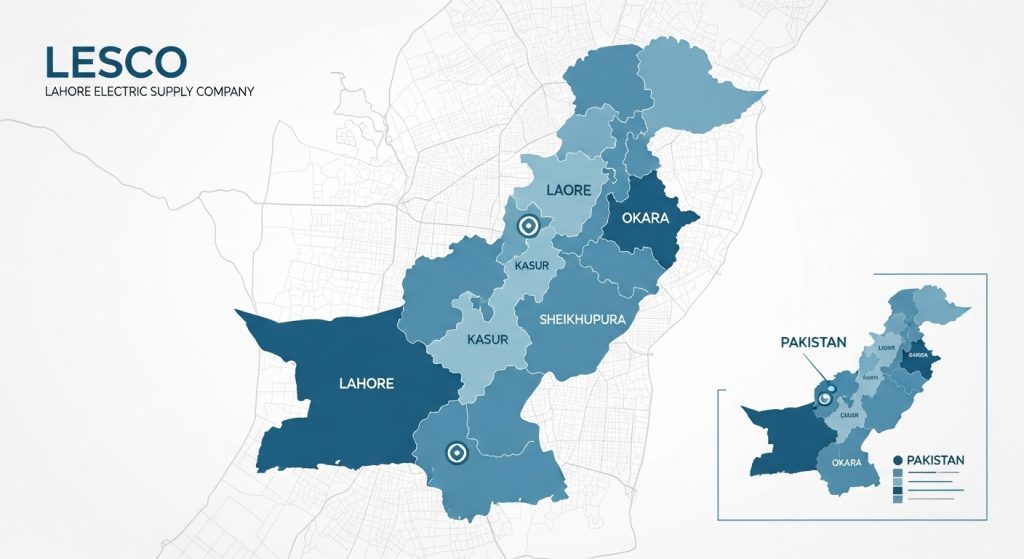
LESCO supplies electricity to five major districts of Punjab:
It manages electricity distribution across urban and rural areas, including villages, towns, commercial, and industrial zones.
LESCO Operational Circles
| Circle # | Name of Circle | Divisions | Sub-Divisions |
| 1 | Lahore North | 5 | 28 |
| 2 | Lahore Central | 5 | 31 |
| 3 | Lahore Eastern | 4 | 23 |
| 4 | Okara | 4 | 23 |
| 5 | South-Eastern Lahore | 4 | 26 |
| 6 | Sheikhupura | 4 | 18 |
| 7 | Kasur | 5 | 30 |
| 8 | Nankana | 4 | 16 |
How to Check, View, and Download LESCO Bill Online (2025)
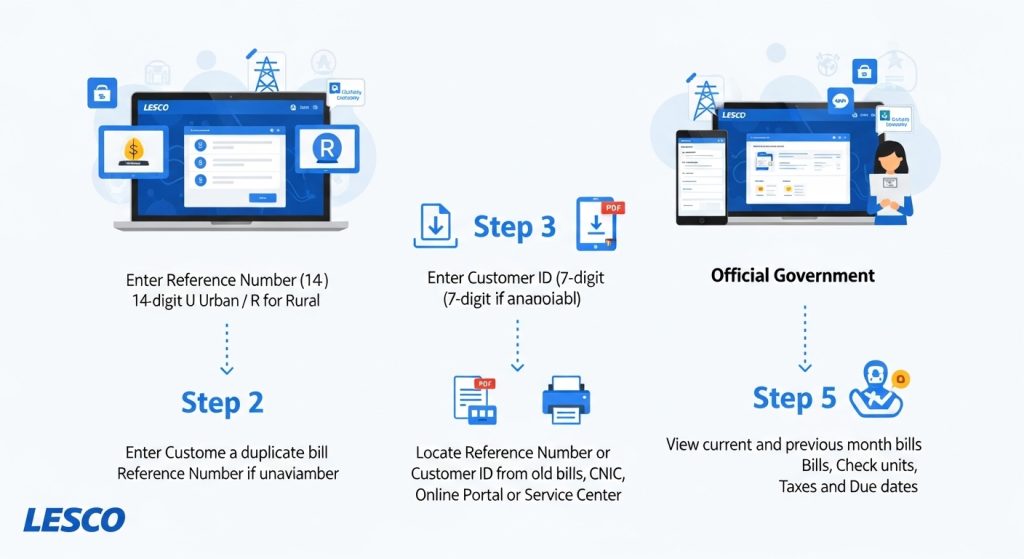
You can access your current and previous month bill using:
Step 1: Check LESCO Bill Using Reference Number
Your Reference Number is a 14-digit number followed by a character (U for Urban, R for Rural).
Steps:
- Visit the official LESCO bill check portal.
- Enter your 14-digit Reference Number.
- Click “Check Bill”.
- Your current bill appears instantly.
- Download, print, or screenshot the bill.
Tip: Always keep a digital copy for records.
Step 2: Check LESCO Bill Using Customer ID
If you don’t have your Reference Number, use your 7-digit Customer ID.
Steps:
- Visit the LESCO online bill portal.
- Enter your 7-digit Customer ID.
- Click “Check Bill”.
- Your bill appears instantly.
- Download PDF, print, or screenshot.
Step 3: View & Download LESCO Duplicate Bill
Lost your paper bill? You can download a duplicate bill.
Steps:
- Enter your Reference Number or Customer ID.
- Click “Check Bill”.
- Click Download PDF for a digital copy.
- Press CTRL+P to print instantly or take a screenshot.
Step 4: How to Find Your Reference Number or Customer ID
- From Previous Month’s Bill – Top left corner shows 14-digit Reference Number & 11-digit Customer ID.
- Using CNIC – Visit LESCO Customer Service Center. Provide CNIC to get your Reference Number.
- LESCO Online Portal – Some portals allow searching via account details.
- Customer Service Center – Show ID/consumer proof to get your Reference Number.
Step 5: Check Electricity Bill History
- View current and previous month bills
- Check unit consumption history
- Verify taxes, late fees, and total charges
- Confirm bill due dates
Step 6: LESCO Online Bill Portal Features
| Feature | Description |
| View Bill | Complete bill details online |
| Download Bill | PDF download for records |
| Print Duplicate Bill | Print instantly |
| History Check | Previous months’ bills |
| Bill Verification | Check taxes, units, and meter readings |
Step 7: LESCO Bill Calculator & Estimation (Optional)
- Use your last month unit consumption
- Apply LESCO tariff rates
- Consider peak and off-peak usage
- Add applicable taxes
LESCO Bill Payment Methods (2025)
1. Pay LESCO Bill Manually (Offline)
Banks: HBL, Meezan, UBL, Alfalah – submit bill and cash, get receipt.
Post Office: Provide bill and payment, receive stamped receipt.
Customer Service Centers: Pay directly at local LESCO center.
ATM Payment: Use linked bank account, enter Reference Number / Customer ID.
Note: Manual payments are time-consuming. Online is faster.
2. Pay LESCO Bill Online (Recommended)
a) Bank Apps – Utility Bills → Electricity → LESCO → Enter Reference Number / Customer ID → Pay
b) Digital Wallets – Easypaisa, JazzCash, Sadapay, Nayapay, ePay Punjab
c) Internet Banking – Bank website → Utility Bills → Pay LESCO
Always save a screenshot or receipt after online payment.
LESCO Tariff & Peak/Off-Peak Timings
| Season | Peak Timing | Duration |
| June–August | 7 PM – 11 PM | 4 hrs |
| September–November | 6 PM – 10 PM | 4 hrs |
| December–February | 5 PM – 9 PM | 4 hrs |
| March–May | 6 PM – 10 PM | 4 hrs |
Tip: Avoid heavy electricity use during peak hours to reduce costs.
How to Reduce Your Electricity Bill
- Turn off unused devices
- Use energy-efficient appliances (LED, inverter ACs)
- Monitor meter reading, avoid slab limit excess
- Use natural daylight
- Optimal AC settings (24–26°C)
- Unplug chargers/appliances to avoid phantom usage
- Run washing machines/dishwashers with full loads
Tip: Apply roof cooling materials or white gypsum paint.
Check LESCO Load Shedding Schedule
LESCO Customer Service & Helpline Numbers
| Service | Contact |
| Helpline | 111-000-118 |
| Complaint Number | 042-99205461-62 |
| Customer Service Center | Visit local center |
Conclusion
Our LESCO Bill Checker Guide 2025 allows you to:
Frequently Asked Questions (FAQs)
How can I check my LESCO bill online?
Use Reference Number or Customer ID on the LESCO portal.
How do I download a duplicate LESCO bill?
Enter Reference Number / Customer ID → Click “Check Bill” → Download PDF.
Can I pay LESCO bill via mobile wallet?
Yes – Easypaisa, JazzCash, Sadapay, Nayapay, or ePay Punjab.
How do I find my LESCO Reference Number?
Check previous bill, CNIC at customer center, or online portal.
How can I reduce my electricity bill?
Use energy-efficient devices, avoid peak hours, monitor units consumed.
Where can I check load shedding schedule?
Visit official LESCO portal or our dedicated load shedding page.
Is there a customer helpline for emergencies?
Yes – call 111-000-118 or 042-99205461-62.
Can overseas Pakistanis pay LESCO bills online?
Yes – through bank apps or digital wallets linked with Pakistan bank accounts.