

How to Become a Filer in Pakistan
How to become a filer in Pakistan ? If you are looking for the answer, You’re not alone, thousands of people every year search for how to become a filer in Pakistan trying to understand the confusing process of registration and filing taxes.
The good news is that once you learn the steps, becoming a tax filer in Pakistan is easier than it seems.
This guide explains how to become a filer in Pakistan online, how to register with FBR, and how to check your active filer status, all in simple language so you can do it yourself confidently.
Who Is a Tax Filer in Pakistan?
A tax filer in Pakistan is an individual or business registered with the Federal Board of Revenue (FBR) who submits annual income tax returns.
Once you file your taxes, the FBR lists your name in the Active Taxpayer List (ATL), proving you are an active tax filer in Pakistan.
Being a filer means:
Non-filers, on the other hand, pay higher taxes on banking transactions, property purchases, and vehicles, so it’s in your best interest to become a filer.
Why Become a Filer in Pakistan?
If you’ve been wondering why you should become a filer, here are some key advantages:
Simply put, being on the FBR Active Taxpayer List saves you money and builds your financial credibility.
Who Should Become a Filer in Pakistan?
You should file taxes if you:
So, whether you’re employed or self-employed, you’ll benefit from knowing how to become a tax filer in Pakistan.
Tax Calendar in Pakistan
Staying aware of deadlines is vital to keep your filer status active.
Here’s a quick schedule:
| Type | Quarter | Payment Date |
|---|---|---|
| Individuals / AOP | Sept | 15th Sept |
| Dec | 15th Dec | |
| Mar | 15th Mar | |
| Jun | 15th Jun | |
| Companies | Sept | 15th Oct |
| Dec | 15th Jan | |
| Mar | 15th Apr | |
| Jun | 15th Jun |
Always verify the latest updates on the FBR Iris portal before filing.
Documents Required to Become a Filer
Before you start your FBR filer registration, prepare these documents:
Keep both digital and physical copies, this helps when using the FBR Iris system online.
Step-by-Step Guide: How to Become a Filer in Pakistan Online
Step 1: Determine Your Eligibility
Anyone earning income in Pakistan, whether salaried, self-employed, or business owner, is required to file taxes.
If you’re unsure, consult the FBR website or a tax expert to confirm.
Step 2: Open the FBR Iris Portal
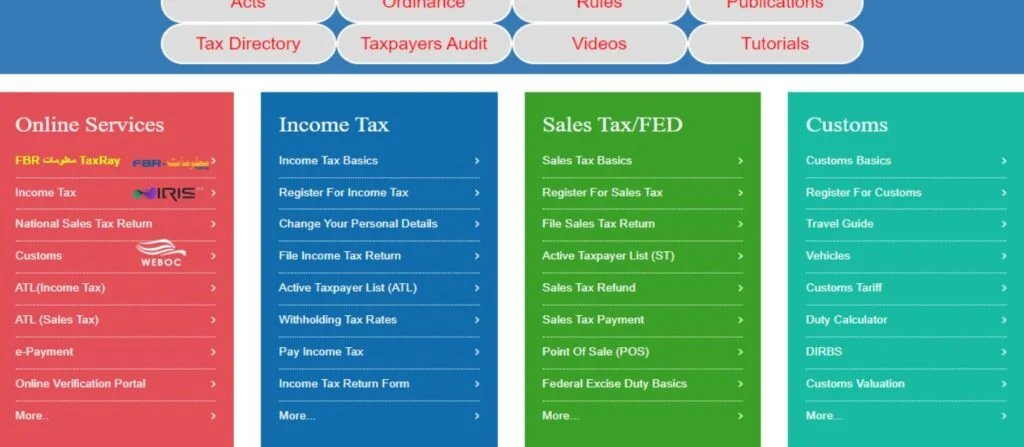
Visit the Iris portal through the official FBR website.
Under “Online Services,” click on “Income Tax” to access the portal.
This is where you’ll register and manage your filings.
Step 3: Get Your NTN (National Tax Number)
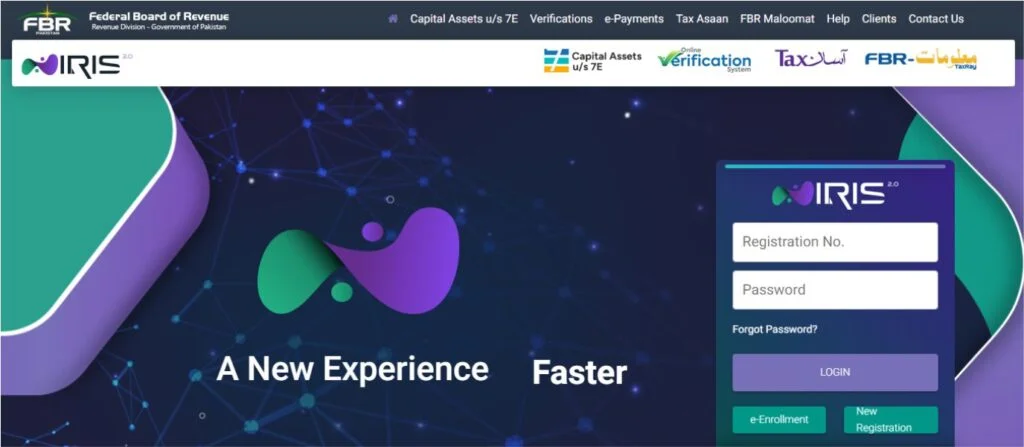
Click “New Registration” on the Iris portal and fill out your:
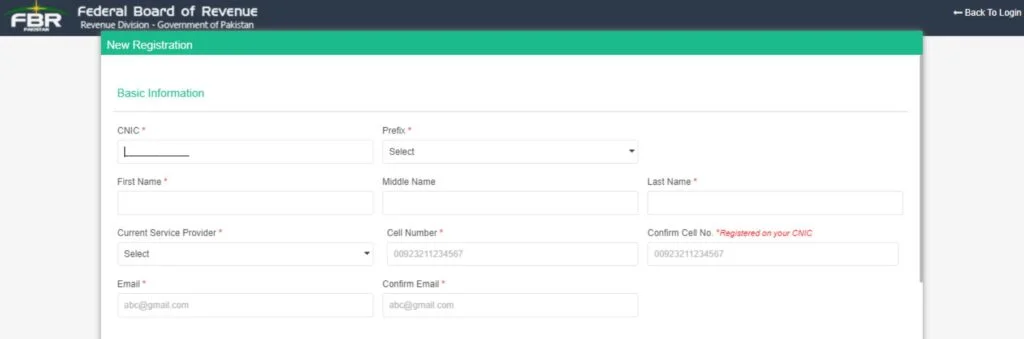
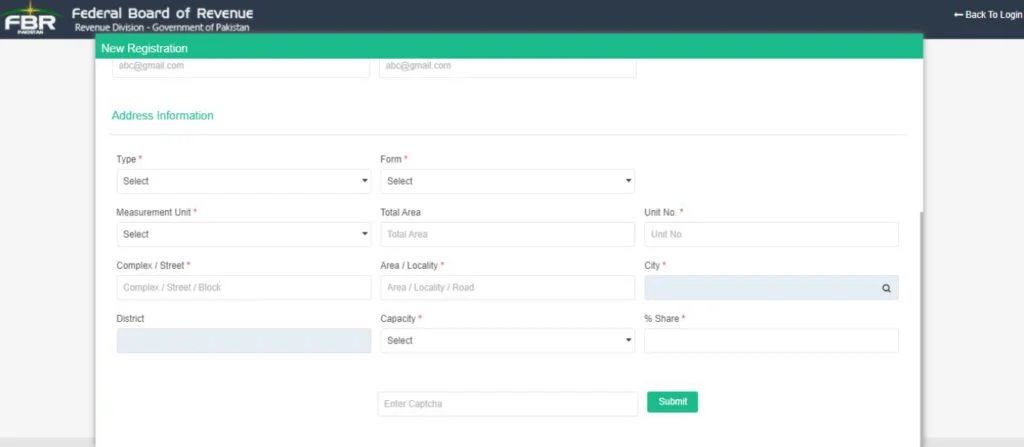
You’ll receive a verification code via SMS and email.
Enter the code to confirm your registration, your NTN will be issued instantly.
Alternatively, you can visit your nearest Regional Tax Office (RTO).
Step 4: Verify Your Filer Status
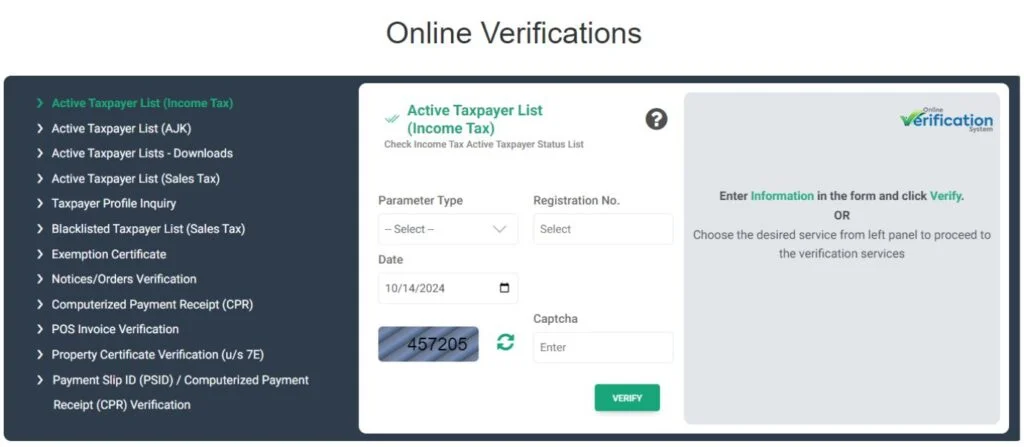
Once registered, verify your status through:
Step 5: File Your Income Tax Return
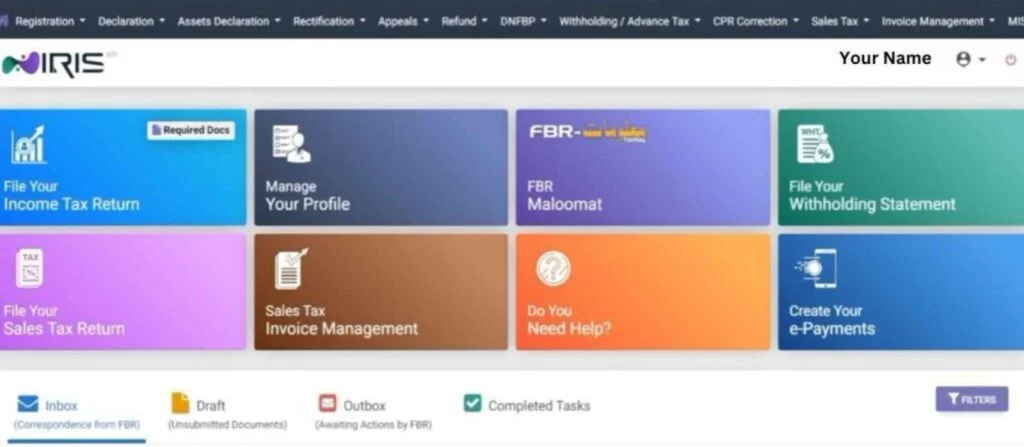
Now that you’re registered, it’s time to file your tax return:
FBR will issue an acknowledgment receipt, keep it safe as proof of filing.
Step 6: Pay Taxes Owed
If you owe any taxes, pay them via:
Keep transaction receipts for record and future verification.
How to Check Filer Status (FBR Active Taxpayer List)
There are two simple methods:
Method 1:
Send ATL [your 13-digit CNIC number] to 9966.
(For AJK taxpayers: send AJKATL [your CNIC without dashes] to 9966.)
Method 2:
Visit the FBR website, “Active Taxpayer List (Income Tax)” Enter your CNIC/NTN to confirm.
You’ll instantly see if your filing status is active.
FAQs About Becoming a Filer in Pakistan
How long does it take to become a filer?
Usually, within 24 to 48 hours after filing your first tax return, your status updates to “Filer.”
What if I miss the tax filing deadline?
You’ll face late fees and temporary deactivation. File on time to avoid this.
Is there a fee to get an NTN?
No, obtaining your NTN through FBR is completely free.
How much income requires filing?
If you earn Rs. 400,000 or more annually, you must file taxes.
Conclusion
Becoming a filer in Pakistan might seem challenging, but it’s an empowering step toward financial transparency and responsibility.
Once you know how to become a filer in Pakistan online, you’ll enjoy lower tax rates, better access to financial services, and peace of mind knowing you’re fully compliant with FBR regulations.
If you ever feel unsure or stuck, don’t hesitate to seek help from a professional tax consultant, they can make your journey to becoming a registered tax filer in Pakistan smooth and stress-free.